 Owlio
TRON Energy vs Bandwidth: check before sending USDT
USDT can be present while a transfer lacks resources. Read the sending account's remaining Energy, separate Bandwidth quotas and liquid TRX before confirming.
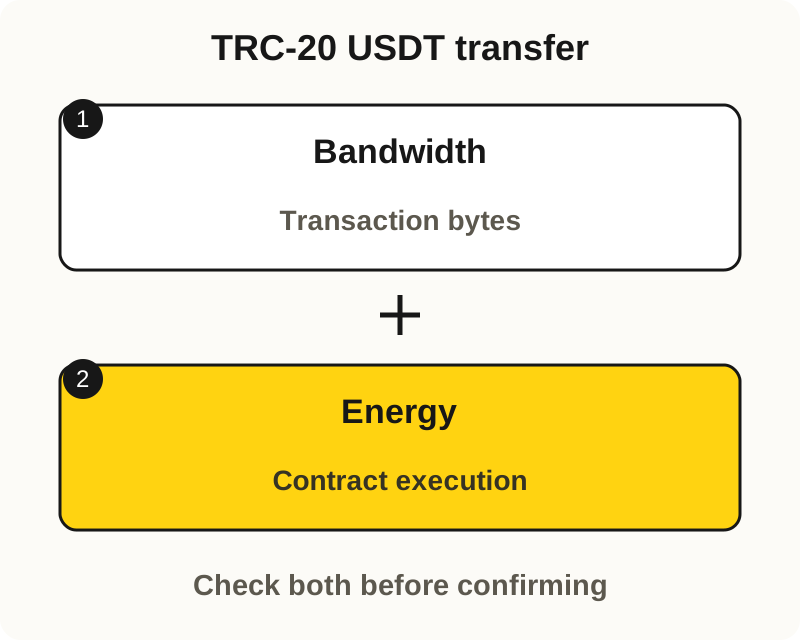
A USDT balance shows how many tokens an account holds. A direct TRC-20 transfer on TRON Mainnet also consumes Bandwidth for transaction data and Energy for contract execution. Check the remaining resources and liquid native TRX before treating that token balance as ready to send.
The check below stops before confirming, signing or submitting a transaction. Exchange withdrawals, sponsored transfers and a separate GasFree wallet have their own fee arrangements. A warning in one flow does not describe every way a service might handle fees.
What the transfer needs besides USDT
TRON’s resource guide separates the transaction’s data cost from the computation needed to run a contract. A TRC-20 token transfer needs both resources, as OneKey’s transfer explanation confirms. Available Bandwidth alone does not cover the contract’s Energy requirement.
| Reading | What it tells you |
|---|---|
| USDT quantity | Tokens held by this account |
| Liquid native TRX | TRX available outside staking, including for applicable resource charges |
| Remaining Energy | Computation allowance still available |
| Remaining Bandwidth | Data allowance, with free and staked/delegated quotas checked separately |
TRX is TRON’s native asset. The network can burn it to cover applicable resource costs. That does not mean every transfer must burn TRX: available or delegated resources, and any applicable contract contribution, affect who pays. A portfolio’s combined value cannot establish that coverage.
Read the remaining allowance
A resource limit is not necessarily the amount left. The account-resource reference gives the Energy calculation as max(0, EnergyLimit - EnergyUsed).
For a fictional account with an Energy limit of 50,000 and usage of 20,000, the remaining allowance is 30,000 Energy. These are invented values to illustrate subtraction, not a wallet test or an estimate for a USDT transfer. You still need that particular transfer’s current estimate to judge the gap.
Bandwidth has separate free and staked/delegated counters. Under the ordinary payment rules, the network first tries the staked/delegated quota, then the free quota. Each must cover the full transaction’s Bandwidth requirement. The free quota is usable only if the network-wide shared free-Bandwidth quota can also cover the transaction in full. If neither quota can be used, TRX is charged for the full Bandwidth cost; the two quotas are not simply added together.
A failed resource lookup is an unknown reading. Do not replace it with zero or use an old screenshot as today’s allowance.
Five checks without sending
- Select the sending account and network. Open the intended account in your wallet and match its complete public address in a trusted TRON Mainnet explorer. Resource amounts on another account do not establish this one’s coverage. You do not need a seed phrase or private key for a public lookup.
- Separate the holdings. Read USDT and liquid native TRX individually. Use Tether’s official TRON reference to identify the token if needed; a familiar ticker alone is insufficient. Staked TRX is not the same as liquid TRX available for a charge.
- Record remaining resources. In the account’s resource details, read Energy remaining and the separate free and staked/delegated Bandwidth amounts. Keep the observation time. If the interface only shows limits or a combined badge, obtain the breakdown before concluding that a quota covers the transfer.
- Inspect the current unsigned estimate. For a transfer you already intend, use your wallet’s documented preview with the exact sender, recipient and amount. Read the resource requirement, any expected TRX charge and any separate service fee. Do not confirm, sign or submit it for this check.
- Name the unresolved item. Record the resource shortfall, insufficient liquid TRX or exact warning the preview reports. If estimation fails, the cost remains unknown. Keep those details for the wallet’s official support route instead of increasing limits or making another attempt blindly.
The result is a comparison between an account snapshot and a particular proposed action. It is not proof that every other condition for execution is satisfied.
Why yesterday’s fee is not today’s quote
Two transfers of the same TRC-20 token can consume different Energy. The TRON FAQ identifies recipient storage state and the contract’s dynamic Energy factor as reasons. Available resources also change with use and recovery. A copied fee from another account or an old transaction is therefore not a fixed price for yours.
A displayed fee_limit is another kind of number. It caps the caller’s Energy budget, including quota-funded Energy, rather than stating the exact bill or limiting every possible charge. TRON’s FeeLimit guide explains why a low cap can restrict execution even with resources available. Do not change it merely to dismiss a warning.
An unsigned preview warning is different from an executed transaction. If an earlier attempt actually ran on-chain, TronLink explains that failed execution can still consume resources. Inspect that attempt’s transaction record and actual charge separately from the next estimate.
Where an Owlio balance fits
For Owlio 1.1.0, checked on 7 November 2026, a tracked TRON address can show native TRX and recognized TRC-20 balances such as USDT. This is a holdings view, not an Energy/Bandwidth estimator or permission to send. Use the sending wallet’s current resources and estimate for the proposed transfer.
The multiple-address guide covers watching public accounts. If the token quantities themselves disagree, follow the portfolio balance checklist. Public data providers can see queried addresses and IP addresses, as the privacy policy describes.
Frequently asked questions
Why can I have TRX but zero Energy?
Holding liquid TRX does not itself give the account an Energy quota. Energy can come from staking or delegation. For a direct contract call, the network can instead burn available TRX for the caller's uncovered Energy, subject to the transaction's limits and other conditions. Check the current estimate rather than assuming any positive TRX balance is enough.
Will waiting for resources to recover always fix a USDT transfer warning?
No. Consumed resource allowances recover over time, but TRON does not provide a free Energy allowance equivalent to free Bandwidth. Waiting does not create an Energy entitlement the account lacks. The transfer may also need more than the recovered quota or face another restriction.
Can a TRON wallet charge a fee in USDT?
Some separate service flows can. TronLink's GasFree guide describes permit transfers with a service fee in the transferring currency. That is different from an ordinary direct transfer's resource accounting. Check the selected wallet mode, supported asset and displayed service terms; a token-denominated fee is not necessarily a free transfer.