 Owlio
Address poisoning: check the recipient before you send
Transaction history is a record of activity, not a verified address book. Build a recipient check around a trusted source and the full destination.
To avoid address poisoning, get the recipient’s address independently and compare the full destination before confirming. Do not reuse an address just because a recent transaction row looks familiar. A history entry tells you that activity was recorded; it does not establish that the address belongs to the person you want to pay.
This guide gives you a repeatable recipient check. It does not ask you to move funds, sign a test transaction or interact with an unfamiliar token.
Why the address in history can look right
In an address poisoning scam, an attacker creates a lookalike address and puts it in your transaction history through a negligible or zero-value transfer. The aim is to have you copy that address for a later payment. MetaMask’s explanation describes the mechanism and warns against relying on matching beginnings and endings: the middle can differ.
Receiving such an entry alone does not demonstrate that your signing keys are compromised. The danger is the destination you choose next.
Imagine two shortened labels:
- Intended recipient:
SAME-START [verified middle] SAME-END - Lookalike:
SAME-START [different middle] SAME-END
These are symbolic labels, not wallet addresses. If the interface hides the middle, both rows can look equally familiar. Expanding a row reveals more characters, but you still need an independent reference to know which complete address is intended.
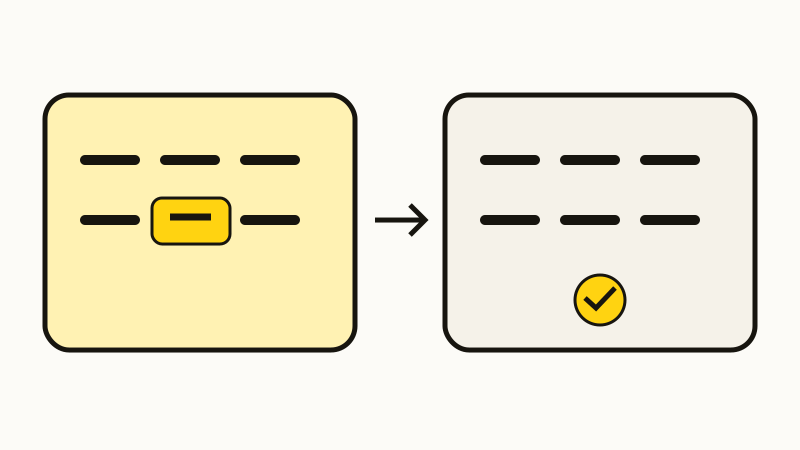
Build a recipient reference before opening Send
Write down the purpose of the transfer in plain language: your own receiving wallet, a particular person’s wallet, or a deposit to your account at a service. That purpose determines where the reference should come from.
| Intended destination | Independent reference |
|---|---|
| Your own wallet | Its full receiving address |
| Another person | Address confirmed through a known contact channel |
| A service deposit | Current deposit page inside the official account |
For another person, ask a specific question: “Is this your receiving address for this network?” Send the complete candidate address through the channel you already use with them. A reply from an unfamiliar account does not confirm that you are speaking to your existing contact.
For a service, read the current instructions alongside the address. Check the selected asset and network, plus any additional destination information the service requires. A familiar account name or old deposit screenshot cannot resolve a mismatch in today’s instructions. If the destination remains unclear, pause before creating the transfer.
If the recipient uses a readable name, our ENS name-to-address guide explains how to inspect the relevant address record. A name lookup and verification of the intended person are separate checks.
Compare the full address after pasting
Keep the independent reference available while preparing the transfer. Trezor’s guidance also calls for checking every character before confirming, including when the destination is your own wallet. This is an editorial checklist for applying the full-address check, rather than a claimed feature of any particular wallet.
- Choose the intended network and asset. Make sure the reference is for that same destination context.
- Paste the complete recipient address from the verified source. Expand the destination field if it shows only a shortened label.
- Compare every part of the pasted value. Work across the whole string in manageable groups, including the middle. Do not let a matching prefix end the check.
- Read the final confirmation. Check the actual recipient, network and amount shown for the transfer you are about to authorize. If the full recipient is unavailable, you have not completed this check.
- Stop on any mismatch. Return to the trusted source and establish the intended address again. Do not choose whichever history row looks closest.
MetaMask recommends verified contacts and describes a hardware wallet’s recipient display as another checkpoint. A saved contact is useful only after its address has been checked. A device display gives you another place to compare; confirming the same wrong address on two screens does not establish the right recipient.
Keep recipient checks separate from portfolio cleanup
An unwanted history entry, an unwanted asset and a spending permission lead to different questions. Our spam-token and NFT guide covers asset identity and display cleanup. The token approval guide covers permissions held by a spender. Neither hiding a row nor disconnecting a site verifies your next payment destination.
Owlio reads holdings for public addresses. Adding an address to a tracker can help you inspect the wallet you chose, but its balance is not proof that it belongs to your intended recipient. Owlio does not sign or send your transfer, and this guide makes no claim that it detects poisoned history entries.
If you have already confirmed a transfer to a suspect address, preserve the transaction identifier, network and full destination for investigation. Consult your sending wallet or service through its official support route. A portfolio refresh, contact edit or hidden row does not undo the confirmed payment, and this checklist cannot promise recovery.
For the next transfer, the useful stopping rule is simple: proceed only when the complete destination matches the independently verified recipient reference in the sending confirmation. A recent history row cannot supply that verification by itself.
Frequently asked questions
Does a zero-value transfer mean my wallet was hacked?
An unsolicited transfer alone does not establish control of your signing keys. Address poisoning attempts to make you choose a lookalike recipient later. Unexpected outgoing activity or a suspicious signature needs a separate investigation.
Is checking the first and last characters enough?
No. A lookalike can share those characters while the middle differs. Compare the complete destination with an address obtained independently from the intended recipient or current official deposit page.
Can Owlio verify that a transfer goes to the right person?
No. Reading holdings for a public address does not establish who you intended to pay. Owlio is a portfolio tracker and does not sign or send your transfer. Verify the recipient in your sending workflow.